
VIP member
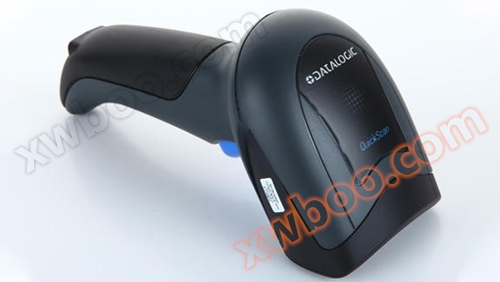
How to deal with some difficult problems encountered by the scanner?
How to deal with some difficult problems encountered by the scanner?
Product details
Customers who use wireless scanners sometimes encounter problems that suddenly appear in the scanner and do not know how to solve them.
In fact, there are many subtle issues. Today, I will guide everyone to master them. There are also solutions to the common problems with scanners. Next time they can easily solve it themselves!
problem1Why isn't all the content reflected after connecting the scanner to the computer?
Is there a startup sound after connecting the scanner to the computer? If there is no startup sound, please check if the electrode connection wires you commonly use are correct. Everything is fine. Is the computer working properly? If the electrode connection wires are confirmed to be normal and the computer is also functioning properly, then there should be a problem with the scanner itself. If there is startup noise but no light, it is mostly a problem on the computer motherboard.
problem2Why does the scanner emit light and have codec noise, but cannot submit data information?
It is very likely that the relative interface has not been set up. Please scan the barcode of the relative interface. Please note that when using serial communication, it is necessary to scan in the super terminal or use a communication program for conversion, otherwise data information cannot be input. If the opposite interface is crossed, it may be a wiring issue.
Q3Why can't data information be scanned when connected to a computer keyboard but unable to use it?
You have not crossed the relative barcode of the computer keyboard port, or there is a problem with your phone line.
problem4Why does the scanner continue to restart after connecting to the computer?
Your interface power system is likely insufficient and a switch power supply must be added.
problem5Why does the scanner scan certain barcodes but not others?
Please ensure that the code system for the barcode you are scanning is turned on and whether there are any length restrictions when turned on. This may cause the barcode to be unreadable.
problem6What should I do if the wireless scanner cannot encode and decode certain barcodes?
There are two reasons:1.The distance between the reading software and the barcode is not appropriate; 2.The barcode is defective. can
Move the wireless scanner closer to or away from the barcode; Or use other barcodes of the same type for scanning and detection, and check if they can be read.
Qualification Certification/ Qualification certification


Corporate Advantages/ Enterprise Advantage



Online inquiry
-
Contacts
-
Company
-
Telephone
-
Email
-
WeChat
-
Verification Code
-
Message Content
-